Connect your Knowledge Graph to Large Language Models
BioChatter is a Python package implementing a generic backend library for the connection of biomedical applications to conversational AI. We describe the framework in this paper. BioChatter is part of the BioCypher ecosystem, connecting natively to BioCypher knowledge graphs. Find the docs here.
Abstract
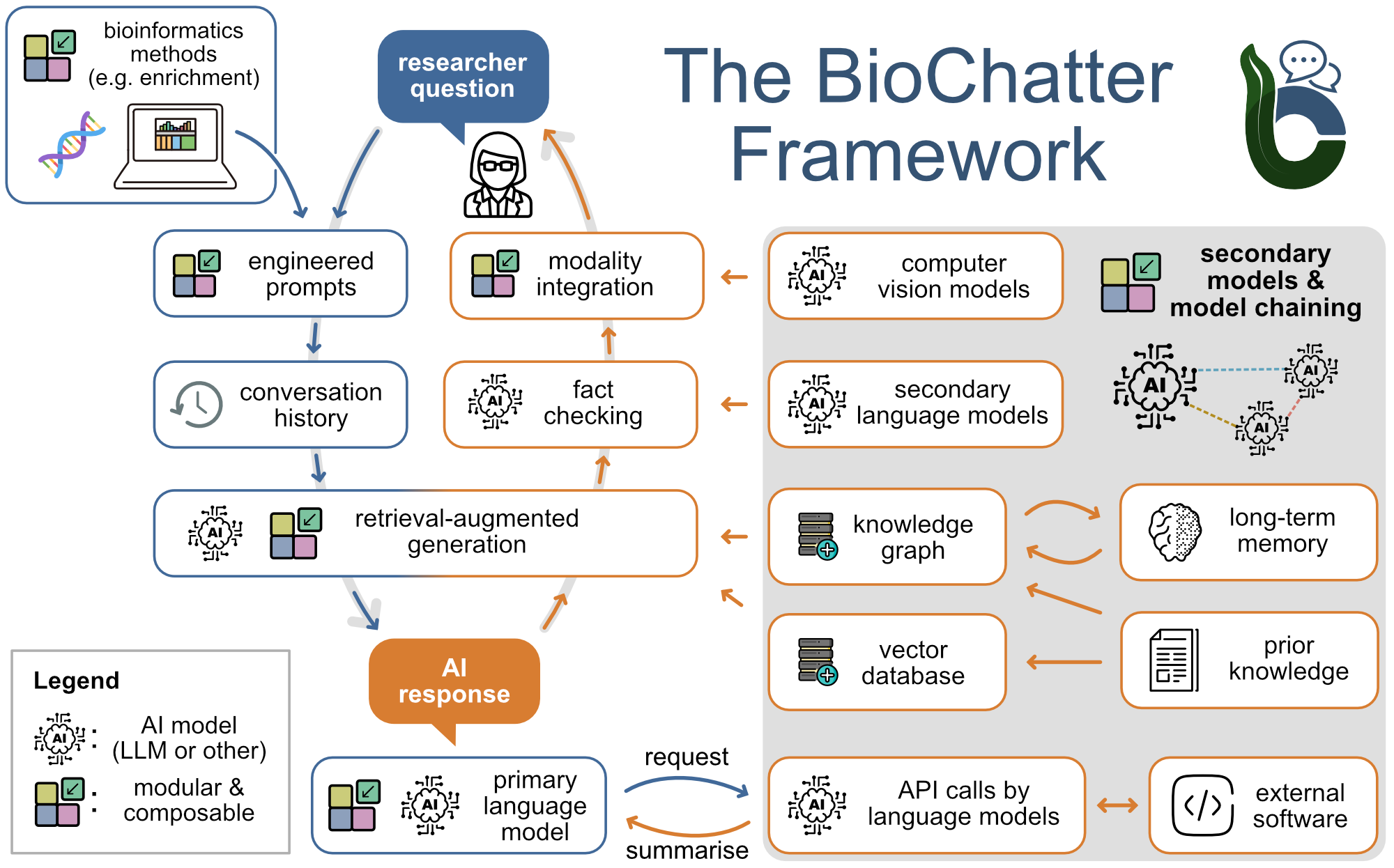
-
BioChatter Preview Web Apps
-
BioChatter Repository
Connecting via Schema Info
To enable BioChatter to understand the structure of your knowledge graph, BioCypher
provides the write_schema_info() method. This generates a schema_info.yaml file
that extends your schema_config.yaml with runtime information about the actual
contents of the built KG.
The generated schema info includes:
is_schema_info: true-- distinguishes this from a regular schema configpresent_in_knowledge_graph: true/false-- marks which entities were actually written during the buildis_relationship: true/false-- indicates whether an entity is a relationship (important when relationships are represented as nodes vialabel_as_edge)
Usage
Call write_schema_info() after writing all nodes and edges:
from biocypher import BioCypher

bc = BioCypher()

# Build the knowledge graph
bc.write_nodes(node_generator())
bc.write_edges(edge_generator())

# Generate schema info as a YAML file
bc.write_schema_info()

# Generate the database import script
bc.write_import_call()
This writes a schema_info.yaml file to the output directory. You can then
point BioChatter to this file so it understands the KG structure for query
generation.
Writing Schema Info as a KG Node
Alternatively, you can embed the schema info directly into the knowledge graph as a queryable node. This allows BioChatter to retrieve the schema by querying the graph itself:
When as_node=True, a node with label schema_info is added to the KG, storing
the full schema as a JSON property. This also automatically re-runs
write_import_call() to include the new node in the import script.
Note
write_schema_info() only works in offline mode or with in-memory DBMS
(e.g., pandas, networkx). It requires data from the deduplication step,
so it must be called after write_nodes() and write_edges().
For more details on how BioChatter uses this information for LLM-powered knowledge graph querying, see the BioChatter documentation.